Cold Wallet vs Hot Wallet Compared: Key Takeaway
Cold wallets and hot wallets offer different security levels for crypto storage. Leading options include Ledger, Trezor, SafePal, and MetaMask, each suited for different user needs and experience levels.
- Cold wallets store private keys offline and offer strong protection.
- Hot wallets stay online and offer easy access for daily transactions.
- Cold storage reduces cyber risk, while hot storage supports quick transfers.
- Users must balance security and convenience before choosing a wallet.
Rising crypto hacks highlight the need for secure storage today. Crypto wallets store and protect digital assets on different networks. Many users pick the wrong wallet and face loss, stress, and account compromise because of weak tools or poor design. I have seen traders suffer due to improper choices and avoidable risks. The wrong wallet can expose private keys and drain funds in minutes, while the right one keeps assets safe. Proper tools are necessary for every user, and this guide will help you choose with confidence. This article offers a simple, expert, jargon free comparison to support your decision.
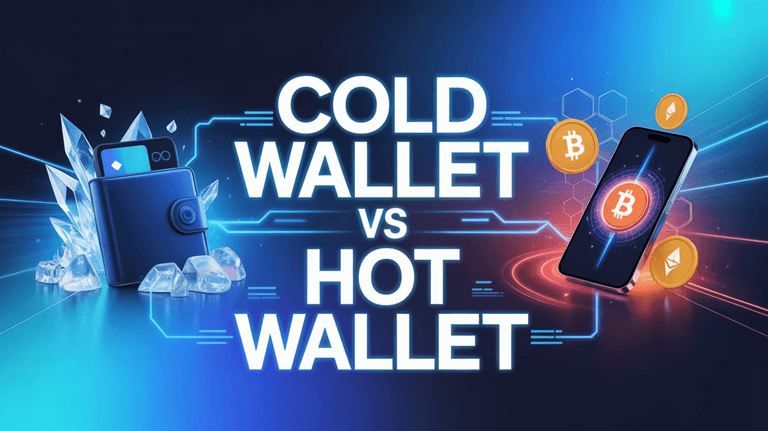
Table of Contents
What are Crypto Wallets?
A crypto wallet is a tool—software, hardware, or even paper—that allows you to store, send, and receive cryptocurrencies like Bitcoin or Ethereum. Instead of holding coins physically, a crypto wallet manages your cryptographic keys, which control ownership of your digital assets on a blockchain.
What are Cold Wallets?
Definition
A cold wallet is a type of cryptocurrency wallet that keeps your private keys offline, completely disconnected from the internet. This greatly reduces the risk of hacking, malware, phishing attacks, and unauthorized access.
Cold wallets are considered the most secure way to store cryptocurrency, especially for long-term holding.
How Cold Wallets Work
Cold wallets store your private keys in an offline environment. Because they never connect directly to the internet, they are protected from remote attacks.
Here’s the basic workflow:
1) Keys are generated offline: The private keys never leave the device.
2) To send a transaction:
- The user creates an unsigned transaction on an online device (computer/phone).
- The unsigned transaction is transferred to the cold wallet (often via USB or QR code).
- The cold wallet signs it offline.
- The signed transaction is sent back to the online device.
- The online device broadcasts the signed transaction to the blockchain.
Throughout the process, private keys remain offline and never touch the internet.
Types of Cold Wallets
- Hardware Wallets: Physical devices that store private keys offline and sign transactions securely without exposing the keys.
- Paper Wallets: Printed or written versions of public and private keys kept completely offline for long-term storage.
- Air-Gapped Software Wallets: Wallets on devices permanently disconnected from the internet, ensuring keys never encounter online threats.
- Offline Multi-Signature Wallets: Systems requiring multiple offline devices or keys to approve a transaction, adding layered security.
How cold wallets sign transactions
Cold wallets use offline signing, which ensures the private key never touches the internet. Here is the detailed process:
Step 1: Create Unsigned Transaction
On an internet-connected device (wallet app, computer, exchange withdrawal page), you prepare a transaction containing:
- Sender address
- Recipient address
- Amount
- Fees
This transaction is unsigned, meaning it cannot yet be broadcast.
Step 2: Transfer Unsigned Transaction to Cold Wallet
- USB
- QR code
- SD card
- NFC (less common)
The unsigned data is moved to the offline cold wallet.
Step 3: Offline Signing
The cold wallet:
- Uses its internal private key
- Cryptographically signs the transaction
- Generates a signed transaction
The signing happens entirely offline on the device.
Step 4: Export the Signed Transaction
The cold wallet sends the signed transaction back to the online device (again via USB, QR scan, SD card, etc.).
Step 5: Broadcast to Blockchain
The online device broadcasts the signed transaction to the network.
- The blockchain validates the signature
- Funds move securely
- Private key never touches the internet
Examples of Cold Wallet
1) Tangem Wallet
Tangem Wallet is a card-style hardware wallet that uses NFC technology, offering simple tap-to-sign transactions, durable design, and easy setup without cables or batteries.
Visit: https://tangem.com/en/
2) Ledger Nano X
Ledger Nano X is a well-known hardware wallet featuring Bluetooth connectivity, a secure element chip, multi-asset support, and integration with Ledger Live for portfolio management. It provides strong security, mobility, and advanced features for users managing multiple cryptocurrencies.
Visit: https://shop.ledger.com/products/ledger-nano-x
What are Hot Wallets?
Definition
A hot wallet is a cryptocurrency wallet that stays connected to the internet, making it easy to send, receive, and manage crypto quickly. Because they’re online, they offer convenience but come with higher security risks than cold wallets.
How Hot Wallets Work
Hot wallets store your private keys on an internet-connected device (like a phone, browser extension, or desktop app).
When you perform a transaction, the wallet uses the private key—stored or encrypted to varying degrees—to sign the transaction and then sends it directly to the blockchain network.
Their constant connectivity allows:
- Real-time interaction with decentralized apps (dApps)
- Instant transactions
- Quick balance updates
Types of Hot Wallets
- Mobile Wallets: Wallet apps on smartphones that store keys online and allow quick, on-the-go crypto transactions.
- Desktop Wallets: Software installed on a computer that stores private keys locally and provides more control for frequent users.
- Web-Based Wallets: Wallets accessed through a browser, storing keys on servers or encrypted in the browser for easy online access.
- Exchange-Hosted Custodial Wallets: Wallets provided by crypto exchanges where the exchange holds the private keys on your behalf.
- Browser Extension Wallets: Wallets running as browser extensions that interact easily with websites and dApps while storing keys on the device.
How Hot wallets sign transactions
Hot wallets sign transactions directly on the online device using the stored private key.
The key is usually encrypted and unlocked with a password or biometrics. Once the transaction is signed, the wallet immediately broadcasts it to the blockchain—all without needing offline devices or extra transfer steps.
Examples of Hot Wallet
1) Zengo
Zengo is a keyless, user-friendly wallet that uses advanced MPC (Multi-Party Computation) security instead of private keys, offering simple recovery, staking options, and quick asset management.
Visit: https://zengo.com/
2) Uphold
Uphold functions as both a digital wallet and trading platform, allowing users to buy, hold, and swap cryptocurrencies, precious metals, and fiat currencies instantly. It offers transparent fees, multi-asset support, and seamless cross-asset transfers.
Visit: https://uphold.com/en-us
Cold Wallet vs Hot Wallet: The Ultimate Comparison Table
| Category | Cold Wallets (Offline) | Hot Wallets (Online) |
| Security | Extremely high security; private keys stay fully offline and protected from online attacks. | Lower security; private keys are online and more exposed to hacking, malware, and phishing. |
| Convenience | Less convenient; requires extra steps to sign and broadcast transactions. | Highly convenient; instant access and easy to use for everyday transactions. |
| Cost | Often involves a one-time purchase (hardware) or setup effort. | Usually free to use (app or web-based), except possible exchange fees. |
| Connectivity | No internet connection; fully offline operation. | Always connected to the internet for seamless blockchain interaction. |
| Ideal User Types | Long-term holders, high-value investors, security-focused users. | Active traders, frequent users, beginners, and dApp users. |
| Transaction Speed | Slower; transactions require offline signing and transferring data. | Fast; sign and broadcast transactions instantly. |
| Risk Tolerance | Low risk tolerance—prioritizes maximum protection over convenience. | Higher risk tolerance—accepts security trade-offs for usability. |
| Recovery Options | Uses recovery seed phrases; must be stored securely offline. | Also uses seed phrases, but recovery relies on online access or custodial support. |
Security Breakdown: Where Most People Make Mistakes
Understanding how hacks actually happen
- Phishing: Attackers trick users into entering seed phrases or private keys on fake websites, fake wallet apps, or scam emails. Once entered, the attacker drains the wallet instantly.
- Malware: Malicious software on a user’s device can log keystrokes, read clipboard data, or access wallet files, allowing attackers to steal private keys or seed phrases.
- Exchange breaches: When users keep funds on centralized exchanges, a hack of the exchange’s servers can expose all custodial wallets, leading to mass withdrawals by attackers.
- SIM swaps: A hacker convinces a mobile carrier to transfer your phone number to their SIM card. They intercept 2FA codes, reset exchange logins, and steal funds if your wallets or accounts rely on SMS verification.
Why cold wallets reduce 95% of attack vectors
Cold wallets store private keys completely offline, eliminating all online attack paths. Because the device never touches the internet, phishing pages, malware, SIM swaps, or exchange breaches cannot access the private key. Attackers would need physical access to the device and your PIN/seed phrase—dramatically reducing risk.
Why hot wallets are still safe for daily use if used correctly
Hot wallets can be secure when users follow best practices such as:
- Using a clean device (free of malware)
- Avoiding unknown links and dApps
- Storing only small, daily-use amounts
- Enabling strong passwords and 2FA
- Keeping seed phrases strictly offline
Choosing the Right Wallet for YOUR Situation
| User Type | Recommended Wallet Type | Hot or Cold | Security Level | Portfolio Size | Risk | Reason |
| Long-Term Holders | Hardware wallet or Multi-signature setup | Cold | High | Medium to Large | Low | Best for preserving assets securely over time. |
| Frequent Traders | Hot wallet + Exchange trading account | Hot | Moderate | Small to Medium | Medium | Provides fast access needed for frequent trades. |
| NFT Collectors | Browser wallet for minting + Cold storage for valuable NFTs | Hot + Cold | High | Varies | Medium | Hot wallet for dApps; cold storage for protecting rare assets. |
| Beginners | Mobile wallet or Exchange-hosted wallet | Hot | Low to Moderate | Small | Medium to High | Easiest to set up and use with minimal complexity. |
| Large Portfolios | Hardware wallet or Multi-sig vault setup | Cold | High | Large | Low | Strong offline security required for high-value storage. |
| Businesses or Teams | Multi-sig wallet or Institutional custody service | Cold | Shared | Medium to Large | Low | Provides governance, shared access, and secure team operations. |
How to Use Both: The 2-Wallet System (Best Practice)
The safest and most practical setup is using one hot wallet for daily activity and one cold wallet for long-term storage.
1. Hot Wallet = Spending Wallet
Purpose: Daily use, dApps, small transactions, trading, NFTs.
Rule: Only keep the amount you’re comfortable losing in a worst-case scenario.
Think of it like: Your checking account.
2. Cold Wallet = Savings Wallet
Purpose: Long-term holdings, large balances, valuable assets, long-term HODLing.
Rule: Anything important or high-value stays offline.
Think of it like: Your vault or safe.
3. How to Move Funds Safely Between Them
Follow this standard flow:
A) Hot Wallet (Daily Use)
- Deposit from exchange into your hot wallet.
- Use only for transactions, spending, or interacting with Web3.
B) Cold Wallet (Savings)
- Transfer excess funds from hot → cold wallet regularly.
- Always verify the address manually or with device screen.
- For large amounts, send a small test transaction first.
Security Rules for Transfers
- Never type or store seed phrases online.
- Double-check every address (avoid clipboard malware).
- Keep your cold wallet PIN and recovery seed offline and secure.
Cost Comparison: Free vs Paid
| Wallet Type | Cost | Notes / Typical Range |
| Free Wallets (hot wallets) | $0 download/use | Most mobile, desktop, and web-wallets cost nothing to install/use. |
| Paid Wallets (mostly cold/hardware wallets) | ~$50 to $200+ one-time | Hardware wallets often cost between $50-$200 for basic models; advanced models may cost more. |
Expert Tips to Maximize Wallet Security
- Store your seed phrase offline in secure, separated locations to avoid single-point failure and digital exposure.
- Add a passphrase for stronger protection so your funds remain inaccessible even if the seed is compromised.
- Use a metal backup plate to safeguard your seed phrase from fire, water damage, and long-term deterioration.
- Avoid taking photos or saving digital copies of your keys since phones and cloud services often get breached.
- Keep cold wallets air-gapped at all times, preventing unwanted network connections or remote attacks.
- Review every transaction carefully on your hardware wallet screen before signing to avoid phishing or malicious redirects.
FAQs
Can a cold wallet be hacked?
A cold wallet is offline, making it extremely difficult to hack. Most attacks occur when the device is connected to a computer, improperly set up, or if seed phrases are exposed. While not impossible, successful hacks are rare and usually result from user error rather than direct device compromise.
Can I store multiple coins?
Yes. Most modern cold and hot wallets support multiple cryptocurrencies. Hardware wallets often integrate with apps that allow storage and management of BTC, ETH, and thousands of tokens. Compatibility varies by model or software, so always check supported assets before choosing a wallet for multi-coin storage.
Which is better, a hot wallet or a cold wallet?
Hot wallets are better for frequent trading because they’re fast and convenient. Cold wallets are better for long-term storage due to stronger offline security. The “best” option depends on your habits: active users prefer hot wallets, while investors holding large amounts prefer cold wallets for safer protection.
Is There a Need For Any Wallet?
Yes. A wallet is essential for securely storing and managing your crypto’s private keys. Exchanges technically hold your keys for you, which increases risk. Using a dedicated wallet—hot or cold—gives you ownership of your assets, greater control, improved security, and safer long-term protection.
Hot wallet vs cold wallet — which is safer?
Cold wallets are safer because they store keys offline, minimizing exposure to hacks. Hot wallets stay connected to the internet, making them more convenient but more vulnerable. For maximum security, especially for large holdings, cold wallets are the preferred choice. Hot wallets are acceptable for small, everyday transfers.
How do I choose between a cold wallet vs. hot wallet for my needs?
Choose based on your usage. If you trade often and need quick access, a hot wallet offers convenience. If you’re storing long-term or holding large amounts, a cold wallet provides stronger protection. Many users combine both: cold for savings and hot for active transactions or daily crypto activity.
Can I use both a cold wallet and a hot wallet simultaneously?
Yes. Many crypto users combine both for balanced convenience and security. A cold wallet protects long-term holdings, while a hot wallet handles regular transfers and trades. Funds can be moved between them as needed, giving you flexibility while minimizing risk from online threats.
Is Coinbase a Hot or Cold Wallet?
Coinbase functions primarily as a hot wallet because it stores your assets online within its exchange infrastructure. While Coinbase uses strong security, you do not directly control your private keys. For cold storage, you’d need a hardware wallet or Coinbase’s separate custody services for institutional users.