Exodus Wallet Review
Many users start crypto with the wrong tools and get hurt. A poor wallet may fail to protect private keys or handle transactions correctly. Fees and limits can also surprise beginners. I prefer wallets that are transparent and strong on security. They should also make navigation simple for new holders. This detailed Exodus Wallet review explains what you can expect as a user. It will show whether Exodus can support your long term goals without added risks.
What is Exodus Wallet?
Exodus is a sleek, beginner-friendly non-custodial cryptocurrency wallet that gives you full control of your private keys. It supports 250+ digital assets and includes convenient features such as built-in crypto swapping and staking to earn rewards. While it excels in usability and design, it doesn’t offer some advanced security tools found in more specialized wallets.
What Issues Does Exodus Wallet Overcome?
Exodus Wallet solves many common challenges that crypto users face today. Many wallets feel too complex for beginners but Exodus focuses on simple design. I find its clean layout helps new users manage digital assets without confusion. It also prevents the stress of handling multiple tools by combining key features in one place. Exodus focuses on practical improvements. This helps users feel confident in managing their crypto journey with fewer mistakes and less frustration.
Here are major issues Exodus Wallet overcomes:
- Ease of Use: Provides an intuitive interface that makes sending and receiving crypto easier.
- Asset Management: Supports a wide range of cryptocurrencies without switching apps.
- Security Confidence: Users keep full control of their private keys which supports safer storage.
- No Technical Barriers: Works on desktop and mobile so people stay in control wherever they are.
- Trading Convenience: Built-in exchange helps users trade without leaving the wallet.
Exodus Wallet Review: Quick Overview
| Category | Summary |
| Type | Non-custodial (you control your keys), Hot Wallet (Internet-connected) |
| Platforms | Desktop (Windows, Mac, Linux), Mobile (iOS, Android), Web3 Browser Extension |
| DApp/Web3 Support | Dedicated Web3 Wallet extension for Chrome/Brave and WalletConnect on Mobile. |
| Assets Supported | Over 300+ cryptocurrencies and NFTs across 50+ networks. |
| Code Transparency | Partially Closed-Source. Full source code is not publicly auditable, requiring more trust in the Exodus development team than fully open-source competitors. |
| Best For | Beginners, users who prioritize a beautiful and simple interface, and those who want an all-in-one platform for managing a diverse portfolio. |
Overview of Exodus Wallet
Exodus is a popular non-custodial wallet that allows users to manage their cryptocurrency assets securely. Launched in 2016, it has gained a reputation for its intuitive interface and robust features, making it suitable for both beginners and experienced users. The wallet is available on multiple platforms, including desktop (Windows, Mac, Linux) and mobile (iOS, Android), as well as a browser extension.
Exodus Wallet Key Features
- Self-custodial wallet: Private keys remain on your own device, so only you control your crypto and third parties — including Exodus — cannot access your funds.
- Multi-platform support: Available on desktop (Windows, macOS, Linux), mobile (iOS, Android), and as a browser extension — allowing seamless access across devices.
- Multi-chain compatibility: Supports thousands of cryptocurrencies across 50+ blockchains, enabling storage of a broad range of tokens and altcoins in a single wallet.
- In-app crypto swapping: Users can exchange one supported cryptocurrency for another directly from the wallet, without needing external exchanges.
- Buy crypto with fiat: Enables purchasing of cryptocurrencies using debit/credit cards, bank transfers, or services like Apple Pay / Google Pay (depending on region), via integrated third-party payment providers.
- Built-in staking: Allows staking of certain proof-of-stake (PoS) coins directly within the wallet to earn passive rewards — no need to move funds to external staking platforms.
- NFT support: Provides a built-in NFT gallery where users can store, view, and manage non-fungible tokens from supported blockchains.
- Web3 / dApp access: Through its wallet and browser extension, enables connection to decentralized applications (dApps), DeFi protocols, and NFT marketplaces — facilitating a broader Web3 experience.
- Hardware-wallet integration: Compatible with external hardware wallets (like those from Trezor and Ledger) to combine hot-wallet convenience with cold-storage security.
- Encrypted local storage: Encrypts wallet data locally on your device and never sends private keys to cloud servers; full control remains with the user.
- Regular updates and active development: Frequent releases across desktop, mobile, and hardware platforms — reflecting ongoing improvements and support for new assets.
- Portfolio tracking: Offers real-time price charts, balance displays, and portfolio overviews to help users monitor asset performance directly within the wallet.
- No personal data required: When setting up, Exodus does not require personal identification, offering a privacy-friendly approach to cryptocurrency management.
Exodus Wallet Review: Pros & Cons
| Pros | Cons |
| Easy-to-Use Interface: Exodus stands out with its sleek, modern design. Managing and visualizing your crypto portfolio feels smooth and intuitive, even for newcomers. | Higher Swap Fees: When I use the built-in swap feature, I notice the fees can be pretty high — often around 2% or more — especially compared to swapping on major exchanges directly. |
| Beginner-Friendly: I love how simple everything is to navigate. Even as someone still learning, I can easily find what I need without feeling overwhelmed. | Limited Security Enhancements: Exodus doesn’t include native Two-Factor Authentication (2FA) and isn’t fully open-source, which means not all of its code can be independently audited for transparency. |
| You Control Your Crypto: As a non-custodial wallet, Exodus ensures users hold their own private keys and recovery phrase. | Hot Wallet Exposure: Since it’s a software wallet, private keys are stored on an internet-connected device. This naturally carries more risk than keeping large amounts in a true cold storage hardware wallet. |
| Enhanced Security with Hardware Wallet Support: Exodus pairs seamlessly with Trezor hardware wallets (and Ledger on mobile), letting users manage cold-storage crypto while still using the friendly Exodus experience. | |
| All-in-One Crypto Tools Built In: Swap assets directly within the wallet, purchase or sell supported cryptocurrencies through trusted third-party providers, and stake compatible tokens like SOL and ADA to earn rewards — all without leaving the app. |
What Users Are Saying about Exodus Wallet: Community Insights and Ratings
| Platforms | Rating | Number of Reviews |
| Exodus on Trustpilot | 3.9/5 | ~4202+ Reviews |
| Exodus on G2 | 3.9/5 | ~26+ Reviews |
| Exodus iOS App (App Store) | 4.6/5 | ~33K Reviews |
| Exodus Android App (Google Play) | 4.6/5 | ~128k Reviews |
Supported Platforms & Accessibility
- Desktop: Windows, macOS, and Linux support.
- Mobile: Available on iOS and Android.
- Browser: Chrome and Brave Web3 extension.
- Sync: Desktop and mobile wallet synchronization.
- Hardware: Compatible with Trezor devices.
- Security: Local private keys, biometric login.
- Access: No account or KYC required.
- Updates: Regular multi-platform improvements.
- Web3: dApp and NFT access via extension.
- Installation: Direct download from official sources.
Exodus Wallet Review: User Interface & Experience
Exodus Wallet offers a clean, beginner-friendly interface that makes crypto management effortless for new users. The setup process is quick and requires no KYC verification, ensuring privacy and ease of access. Its intuitive design allows seamless navigation between features, while customizable asset displays and real-time portfolio tracking provide users with complete control over their investments. Overall, the interface balances simplicity with functionality, delivering an efficient and visually engaging user experience.
Exodus Wallet Security Review
- Private Key Storage: Exodus stores all private keys locally on the user’s device, ensuring full control and preventing third-party access to funds.
- Non-Custodial Access: No account creation or KYC verification is required, keeping the wallet fully decentralized and privacy-focused.
- Encryption & Recovery: Wallets use AES encryption with a 12-word recovery passphrase for secure backup and restoration.
- Password & Biometric Protection: Supports strong password access and biometric login (fingerprint or facial recognition) on mobile devices.
- Closed-Source Model: The wallet’s code is not fully open-source, reducing transparency but simplifying maintenance and minimizing potential misuse.
- Security Pros: Local key storage, no central server risks, and strong encryption make Exodus safe for everyday crypto use.
- Security Cons: Lack of open-source verification limits independent audits, requiring users to trust internal security processes.
Important: Clarify that users are responsible for backup/seed phrase safety.Exodus Wallet Review: Exchange & Fees
| Action | Cost | Who Gets Paid? | Notes |
| Hold crypto in Exodus | Free | Nobody | Just storing coins costs nothing. |
| Receive crypto | Free | Nobody | No charge to receive. |
| Send crypto | Network Fee | Blockchain (miners/validators) | Amount depends on network traffic (e.g. ETH gas). |
| Swap/Exchange crypto (inside Exodus) | Spread + Network Fee | Partner exchange + blockchain | Spread ≈ 0.5%–3% depending on coin + demand. |
| Buy crypto with cash | Payment provider fee | Third-party processors | Shown before paying. |
💡 Key Takeaways
Exodus does not keep network fees.
Swap costs are built into the price (the “spread”).
All fees shown upfront before you approve — no surprise charges.
Crypto Staking & Rewards
One of the strongest features of Exodus Wallet is its built-in staking, which lets users earn rewards simply by holding and delegating supported crypto assets inside the wallet. You don’t need to connect to external platforms or deal with complicated technical steps — Exodus handles the delegation process for you behind a clean, beginner-friendly interface.
🔐 How Staking Works in Exodus
When you stake crypto, you’re helping secure the blockchain network. In return, the network distributes staking rewards — similar to earning interest, but in cryptocurrency form. Exodus lets you stake directly within the wallet through trusted network validators.
Here’s the simplified flow:
- Choose a supported asset (like SOL, ADA, ALGO, ATOM and more)
- Delegate through the in-wallet staking tab
- Earn rewards over time while funds stay under your control
There are no management fees from Exodus, though standard network fees apply when staking or unstaking.
Supported Staking Assets
Commonly supported cryptocurrencies include:
- Solana (SOL)
- Cardano (ADA)
- Algorand (ALGO)
- Cosmos (ATOM)
- Tezos (XTZ)
- VeChain (VET & VTHO) and others — availability may vary by platform.
Exodus also displays the estimated APY so users can decide which assets best fit their strategy.
Tip: Rewards are automatically added to your balance — no manual claiming needed for many assets.
Who Should Use Exodus Wallet?
| User Type | Reasons |
| Crypto Beginners | Intuitive interface, easy setup, no technical knowledge required, excellent support resources |
| Multi-Currency Holders | Supports 315+ cryptocurrencies across 50+ networks, manage diverse portfolio in one place |
| Staking Enthusiasts | In-app staking for multiple proof-of-stake coins, earn passive income easily |
| DeFi Users | Web3 integration with dApps like Aave, Compound, Uniswap; browser extension available |
| Mobile-First Users | Full-featured mobile apps (iOS/Android) with cross-device sync |
NFT Support & Web3 Compatibility
Exodus includes native functionality for managing NFTs and interacting with decentralized applications, but the level of support varies depending on the platform and blockchain.
NFT Management
Exodus allows users to store and view NFTs within the wallet interface. Key points:
- Ethereum and Solana NFTs are supported
- Artwork, metadata, and collection details are displayed inside the app
- Users can send and receive NFTs without needing a separate wallet
However:
- Multi-chain NFT support is still limited
- Advanced NFT features (marketplace integration, batch sending, bridging) are not yet built in
This makes Exodus suitable for basic NFT management, but not for high-volume collectors or active NFT traders.
Web3 dApp Connectivity
The Exodus Browser Extension enables users to connect the wallet directly to dApps. With it, users can:
- Access decentralized exchanges and lending protocols
- Interact with blockchain games and NFT platforms
- Approve smart contract interactions securely from the wallet
Supported networks include:
- Ethereum
- Solana
- Additional networks planned for future updates
While the extension improves Web3 access, it currently lacks support for many multi-chain ecosystems (e.g., Polygon, BNB Smart Chain, Avalanche) which competing wallets already offer.
Customer Support & Resources
Exodus offers 24/7 customer support through email and live chat for select users. It provides a detailed knowledge base, video tutorials, and step-by-step guides, with quick in-wallet help links for instant access to support resources.
Step-by-Step Beginner Exodus Wallet Setup Guide
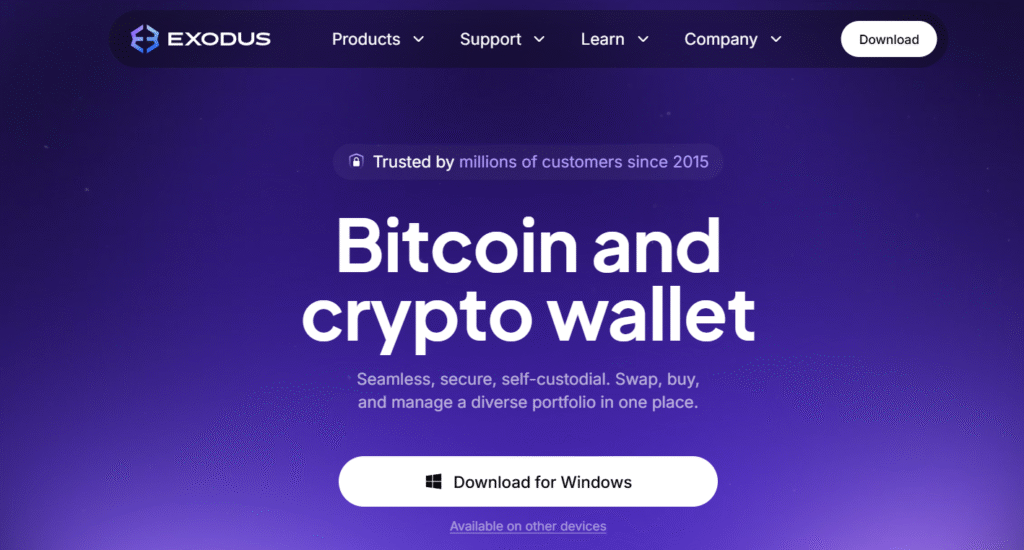
- Download Exodus from https://www.exodus.com.
- Install and open the app.
- Create a new wallet.
- Backup your 12-word recovery phrase — write it down safely.
- Set a strong password.
- Receive crypto using your wallet address.
- Send or swap crypto easily within the app.
What’s Next for Exodus Wallets? Key Developments to Watch
Exodus Wallet is steadily evolving beyond being just a self-custody crypto wallet. The company’s roadmap highlights a shift toward integrated payments, enhanced swap technology, and greater Web3 connectivity for both retail and enterprise users.
- Payment Expansion: Acquisition of W3C Corp to build in-house payment infrastructure and enable crypto card spending.
- Crypto Cards: Plans to introduce debit-style cards supporting stablecoin and crypto transactions.
- XO Swap Growth: Expanding swap engine integration with other wallets, including MetaMask.
- Swap Optimization: Upgraded engine for faster, cheaper, and more efficient swaps.
- Stablecoin Focus: Increased support for stablecoins to promote everyday usability.
- Enterprise Solutions: Developing “wallet-as-a-service” for institutional clients.
- Web3 Integration: Strengthening dApp and DeFi connectivity through browser extensions.
Exodus vs Competitors
1) Exodus vs MetaMask
Exodus offers a sleek, beginner-friendly design supporting multiple blockchains, while MetaMask focuses on Ethereum and DeFi integration. MetaMask suits advanced Web3 users exploring dApps and NFTs, whereas Exodus excels in simplicity, built-in swaps, and diverse asset management for casual investors.
Link: https://www.exodus.com
2) Exodus vs Trust Wallet
Both wallets are multi-asset and user-friendly, but Exodus stands out for its desktop interface and strong visual portfolio tools. Trust Wallet, being mobile-centric and Binance-backed, shines for traders using decentralized exchanges. Exodus appeals more to desktop users managing broader portfolios.
Link: https://trustwallet.com
3) Exodus vs Ledger Nano X
Exodus provides fast access and convenience for daily use, while Ledger Nano X emphasizes offline, hardware-level security. Ledger is ideal for long-term storage of significant crypto assets; Exodus fits users who prioritize usability, design, and easy asset swaps.
Link: https://www.ledger.com
How Portfolio Tracking Works Inside Exodus
Unified Dashboard View: Exodus automatically tracks all your crypto assets across multiple blockchains — Bitcoin, Ethereum, Solana, Avalanche, and 300+ others — in one clean dashboard.
- See total portfolio balance in real time (in USD or your chosen fiat).
- Instantly view gains/losses without manually switching networks or wallets.
Real-Time Analytics & Insights: Exodus includes built-in analytics tools that help users understand performance at a glance:
- Asset Allocation Chart: Visual pie chart showing your crypto distribution by percentage.
- Value Over Time: Historical performance graph showing how your portfolio value has evolved.
- Profit/Loss Estimates: Track asset price changes and net gain/loss over custom time periods.
- Live Market Data: Pulls real-time pricing and market cap data for every supported token.
Multi-Chain Visibility: Seamlessly manage assets across multiple networks (Bitcoin, Ethereum, Solana, Polygon, etc.) in one interface.
- No need to switch wallets — Exodus auto-detects supported tokens and displays balances under their respective chains.
- Cross-chain holdings appear under a single aggregated portfolio view, simplifying total asset tracking.
Sync Across Devices: Portfolio tracking syncs securely between desktop and mobile apps, so your data is always updated no matter where you check it.
Conclusion: Exodus Wallet Review
Exodus offers a smooth, visually appealing, and beginner-friendly way to manage a diverse crypto portfolio. With its intuitive design and convenient built-in features such as swapping and staking, it’s a great option for everyday users who want both simplicity and versatility.
For anyone holding a significant amount of crypto, the ideal setup is to use Exodus alongside a compatible Trezor hardware wallet — combining the ease of the Exodus interface with the enhanced, offline security of cold storage.
Exodus Wallets FAQs
When was Exodus founded?
Exodus was founded in 2015 by programmers JP Richardson and Daniel Castagnoli.
What features make Exodus wallet popular among crypto users?
Exodus is popular because it supports hundreds of cryptocurrencies across many blockchains, offers built-in swapping and fiat on-ramps, provides portfolio tracking, has an easy-to-use cross-platform interface (desktop & mobile), and integrates with hardware wallets for extra security.
Is Exodus wallet safe?
Exodus is reasonably safe for a software wallet — private keys are stored locally on your device, encryption + a 12-word recovery phrase protect access, and the developers emphasize secure design practices. That said — like any hot wallet — safety also depends on device security.
Is Exodus a custodial wallet?
No, Exodus is a non-custodial (self-custody) wallet — meaning only you hold the private keys; Exodus never has access to your funds or personal data.
Is Exodus a Truly Open-Source Wallet?
No, Exodus is not fully open-source. While some components may be public, the entire codebase is closed, which limits independent auditing and transparency.
Does Exodus have fees?
The wallet itself is free; you can send, receive, swap, and manage assets without subscription cost. Fees apply only as network transaction fees or when using built-in exchange / on-ramp services.
Can you store NFTs on Exodus?
Yes, Exodus supports NFTs (non-fungible tokens), including NFT management on compatible blockchains, enabling you to store, view, and manage digital collectibles within the wallet.
Is Exodus Suitable for Pro Traders?
Not really, while Exodus is great for everyday users and portfolio holders (multi-asset management, swaps, ease-of-use), it lacks advanced trading features, fine fee control, and deep order-book liquidity that pro traders typically need.
Can You Recover Exodus Without the Backup Phrase?
No, if you lose your device and don’t have the 12-word recovery phrase (or backup), there’s no way to recover access to your wallet or funds. The backup phrase is the only method provided.