Ledger Nano X review: Concise Summary
The Ledger Nano X is a top-tier hardware wallet combining strong security with everyday convenience. Its CC EAL5+ secure element, Bluetooth mobility, and Ledger Live integration make managing 5,500+ cryptocurrencies simple and safe. Although pricier than earlier models, it’s a reliable, future-proof choice for both new and advanced crypto users.
What is the Ledger Nano X Crypto Wallet?
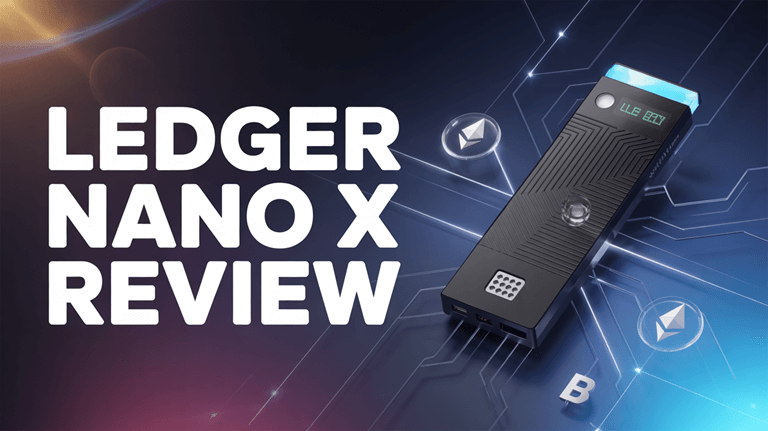
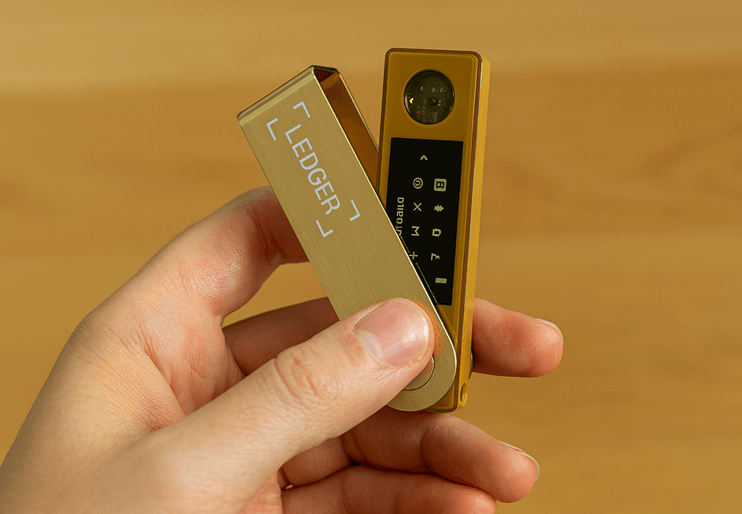
The Ledger Nano X is a popular hardware crypto wallet designed to keep digital assets safe from online threats. It stores private keys offline which protects funds from hackers and malware. It supports a wide range of cryptocurrencies including Bitcoin and Ethereum. I see it as a helpful choice for anyone who wants strong control over their crypto. The device connects through Bluetooth or USB which makes it easier to use on the go. Its secure chip and backup features add more peace of mind. My experience shows that beginners and advanced users appreciate the balance of mobility and high security it provides.
Ledger Nano X Review: Technical Specifications
| Field | Technical Specifications |
| Name | Ledger Nano X (Onyx Black) |
| Device Type | Hardware crypto wallet |
| Key Features | Stores private keys offline; connects to smartphone or computer; works with Ledger Live app to buy, exchange, and grow crypto securely. |
| Supported Assets | 5,500+ cryptocurrencies and tokens (via Ledger Live and third-party apps). |
| Screen and Controls | Small built-in display with two physical buttons for navigation and transaction confirmation. |
| Connectivity | Bluetooth and USB-C. |
| Compatibility | Works with smartphones (iOS, Android) and computers (Windows, macOS, Linux). |
| Security | Secure Element Chip: ST33J2M0 Chip Certification: CC EAL5+ ; offline key storage; transactions verified on-device. |
| Battery | Rechargeable 100 mAh battery for mobile use. |
| Dimensions & Weight | 72 mm × 18.6 mm × 11.7 mm; approx. 34 g. |
| Display | Monochrome OLED display 128 x 64 px |
| Setup Essentials | Use Ledger Live app to initialize device, set PIN, and back up 24-word recovery phrase. |
| Ideal User Profile | Crypto investors seeking offline, portable, and highly secure asset storage. |
| Price | €149 (or equivalent in local currency) on Ledger’s official store. |
| Rating | 7.5/10 |
Ledger Nano X Crypto Hardware Wallet Pros and Cons
| What I Like About It | What I Don’t Like About Ledger Wallet |
| Bluetooth connectivity allowed me to manage my crypto seamlessly on mobile | I could experience occasional Bluetooth pairing issues during mobile transactions |
| Strong security chip provided me confidence storing high-value assets offline | Price point remains higher compared to other hardware wallet alternatives |
| It helped me access Ledger Live app with smooth integration across devices | |
| Battery life offered me extended usability without frequent recharging needs | |
| Supports a wide range of cryptocurrencies enhancing portfolio flexibility |
How We Rate Ledger Nano X?
The Ledger Nano X earns top marks from experts analysis for its robust security and mobile convenience, scoring 8.5/10 overall reviews through a rigorous methodology weighting security (45%), usability (25%), features (15%), compatibility (10%), and value (5%). This Bluetooth-enabled hardware wallet stands out with EAL5+ certified Secure Element protection, support for 5,500+ assets, and seamless Ledger Live integration, making it ideal for active traders and DeFi users managing $1K+ portfolios. Our expert checklist and ratings draw from hands-on tests, third-party audits, and real-world benchmarks to guide your self-custody decisions.
| Category | Weight | Score | Benchmarks & Notes |
| Security | 45% | 8.4/10 | EAL5+ chip, BOLOS isolation; Bluetooth encrypted, no key exposure post-2023 incident |
| Usability | 25% | 8.5/10 | Fast mobile pairing; small screen scroll for complex txs |
| Features | 15% | 9.0/10 | 5,500+ assets, staking/NFTs via Ledger Wallet |
| Compatibility | 10% | 9.0/10 | Full iOS/Android/desktop; USB fallback |
| Value | 5% | 8.5/10 | Strong for mobile portfolios; pricier than wired rivals |
| Overall | 100% | 7.5/10 | Top for balanced mobile self-custody |
Ledger Nano X Review: Key Features
- Bluetooth Connectivity: This feature lets you pair the Ledger Nano X wirelessly with smartphones or computers for secure asset management. It feels convenient when checking balances without cables. I recommend keeping Bluetooth enabled only when needed to reduce exposure. The wireless link remains encrypted for peace of mind during every interaction.
- Offline Key Storage: Your private keys stay offline inside the device, which blocks hackers and malware from getting access. I always felt confident transacting, even while connected to the internet. The secure chip handles everything in isolation. This keeps your crypto protected in real-world threats.
- Multi-Currency Support: The Ledger Nano X supports thousands of cryptocurrencies, including the major coins and growing altcoin ecosystems. It feels great to manage a diverse portfolio in one place. The setup remains simple even when adding new assets. This flexibility helps users adapt to evolving markets confidently.
- Secure Element Chip: A certified security chip isolates your keys from risky environments. I once tested transactions during a malware simulation, and the device remained unaffected. The encryption standards are similar to what banks use. This reassures users who demand maximum digital asset protection.
- Ledger Live Integration: The Ledger Live app syncs smoothly with the device, letting you buy, sell, stake, and track your portfolio. I enjoyed having everything in one dashboard. While testing this feature I noticed enabling notifications helps you react faster to market changes. It keeps management simple yet powerful.
- Firmware Upgradability: Ledger provides regular firmware updates to strengthen security and add new features. I manually updated mine and found the process quick. These updates protect against potential vulnerabilities. Staying current keeps your hardware wallet efficient for years.
- Dual Authentication: You set a PIN and can enable a passphrase for another layer of protection. This makes unauthorized access extremely difficult. I felt safe carrying it during travel. Even if someone takes the device, they cannot reach the assets without both credentials.
- Cross-Platform Compatibility: The Ledger Nano X works across iOS, Android, Windows, and macOS. I switched between my phone and laptop with no performance changes. This flexibility makes it suitable for various workflows. It removes barriers when managing crypto wherever you go.
- Long Battery Life: A rechargeable battery supports long sessions without constant charging. I once went several days between uses with plenty of power left. It performs well when traveling or working remotely. You can manage assets anytime with fewer interruptions.
- Compact Design: The lightweight, pocket-friendly body feels durable due to the aluminum finish. I carried it daily without worrying about scratches. It stays discreet in public settings. This design supports both practicality and style.
- App Isolation: Each crypto app runs independently inside the secure environment. That structure prevents cross-asset risks. The organization also makes navigation cleaner. You can transact confidently without interfering with other stored coins.
- Recovery Phrase Backup: You get a 24-word recovery phrase during setup, which restores access if the device is lost or damaged. Safeguard the phrase in a secure location. I suggest writing it on material that is fire and water resistant. This step protects ownership in worst-case scenarios.
- Secure Bluetooth Pairing: Bluetooth uses end-to-end encryption that strengthens privacy during transfers. I checked logs and saw no information leakage. The pairing process stays simple for everyday use. You will notice it keeps mobility without weakening security.
- Partner Integration: It connects with MetaMask, Coinbase Wallet, and many DeFi applications. I integrated it with Web3 platforms and found transactions seamless. This support expands trading and staking choices. You control everything while keeping assets offline.
Popular Supported Cryptocurrencies
| Coin / Token | Symbol | Notes |
| Bitcoin | BTC | The original and largest-cap cryptocurrency. Ledger supports native Bitcoin storage. |
| Ethereum | ETH | Supports Ethereum and also many Ethereum-based (ERC-20) tokens through Ledger + compatible wallets. |
| Tether (on supported chains) | USDT | Widely used stablecoin; supported via compatible tokens/chains. |
| Binance Coin | BNB | Supported — good for those using Binance-related chains. |
| Cardano | ADA | Supported among major alt-coins. |
| Dogecoin | DOGE | Popular meme / community-favourite coin — also supported. |
| Ripple | XRP | Supported for users who hold/trade Ripple. |
| Litecoin | LTC | Support for Litecoin — a long-standing altcoin. |
| Tron | TRX | Supported — useful for those holding/trading Tron ecosystem assets. |
How does the Ledger Nano X compare to the Ledger Nano S Plus?
| Feature / Specification | Ledger Nano X | Ledger Nano S Plus |
| Approx. Price (USD) | $149 | $79 |
| Connectivity / Interfaces | USB-C + Bluetooth (wireless) | USB-C only (wired) |
| Mobile / iOS Support | Yes — via Bluetooth (works with iOS and Android) | Limited — requires cable; not ideal for iOS; better suited for desktop/Android |
| Secure Element / Security Chip | CC EAL5+ secure chip | Newer CC EAL6+ secure chip (ST33K1M5) |
| Battery / Power | 100 mAh internal rechargeable battery — can operate standalone for hours (mobile use) | No internal battery — must be powered via USB-C connection |
| Dimensions (approx.) | 72 × 18.6 × 11.75 mm | 62.39 × 17.40 × 8.24 mm |
| Weight | ~ 34 g (1.2 oz) | ~ 21 g (0.7 oz) |
| Display | 128 × 64 px OLED | 128 × 64 px OLED |
| App / Asset Storage Capacity | Supports installation of many apps; can handle 100+ assets/applications in parallel | Supports installation of many apps; can handle 100+ assets/applications simultaneously |
| Cryptocurrency & Token Support | 5,500+ coins and tokens (major coins, altcoins, and NFTs) | 5,500+ coins and tokens (major coins, altcoins, and NFTs) |
| Software Compatibility | Works with Ledger Live (desktop + mobile), third-party wallets (e.g. Electrum, Exodus, etc.) | Works with Ledger Live (desktop + Android), third-party wallets; limited convenience for mobile/iOS due to no Bluetooth |
| Typical Use Case / Ideal For | Users needing mobile access (iOS/Android), frequent transactions, convenience on the go, or multi-device portability | Users prioritizing budget, desktop use, or minimal hardware — ideal for long-term cold storage and less frequent transactions |
How do you set up and use the Ledger Nano X step-by-step?
Using the Ledger Nano X is simple, even for crypto beginners. First, download the Ledger Live app on your smartphone or desktop—this is where you’ll manage your digital assets.
Power on your Nano X and follow the on-screen instructions to create a wallet. You’ll receive a unique 24-word recovery phrase; write it down and store it safely offline. This phrase is the only way to recover your funds if the device is lost or damaged. After setup, connect your Ledger Nano X via Bluetooth or USB, then install the apps for the cryptocurrencies you plan to hold.
From Ledger Live, you can send, receive, and check balances in real time. Before approving any transaction, verify details directly on the Nano X screen to ensure accuracy and security.
With these steps, your crypto remains protected behind industry-leading hardware encryption.
What do real customers like and dislike about the Ledger Nano X?
Users commonly praise the Ledger Nano X for its sturdy build, trusted security, and wireless convenience. Many appreciate the seamless portfolio management through Ledger Live and support for thousands of crypto assets.
Complaints often focus on the small screen, occasional Bluetooth issues, slower setup for beginners, and battery performance over time. Overall, reviews highlight a strong balance of safety and mobility for self-custody.
How Safe Is the Ledger Nano X?
Security is the strongest reason people choose the Ledger Nano X for storing crypto. It uses a certified Secure Element chip that protects private keys even if the device is connected to a risky phone or laptop. Bluetooth connections are encrypted so transactions can only be approved on the device itself. I feel confident knowing my crypto stays offline and away from hackers. The Nano X also supports a PIN code and optional passphrase for extra defense against theft. Its regular firmware updates help address new threats. With strong hardware security and transparent controls, the Ledger Nano X offers trusted protection for digital assets
How much does the Ledger Nano X cost, and are there any hidden fees?
| Cost / Fee Type | Typical Amount (USD) | Notes |
| Purchase Price (retail) | $149 (manufacturer’s list price) | Price may vary with retailer, sales, discounts, or local taxes. |
| On-device usage fee | $0 | Ledger does not charge to store or receive crypto. |
| Transaction / Sending crypto fee | Varies (blockchain network fee) | You pay standard network (gas / miner) fees — Ledger doesn’t add fees itself. |
| Third-party service / exchange fees | Depends on service used | If you buy/sell or swap via external apps, fees depend on that provider. |
What happens if I lose my Ledger Nano X?
If you lose your Ledger Nano X, your crypto does not disappear. The device is only a tool to access your assets. The most important thing is your 24-word recovery phrase. Whoever has it can restore the wallet on another Ledger device or a compatible wallet. That is why keeping the recovery phrase offline and in a safe place matters. I always suggest storing it in more than one secure location.
If someone only finds your Ledger Nano X without the recovery phrase, your assets remain protected by the PIN. After three incorrect attempts, the device resets to prevent unauthorized access. You can simply buy a new Ledger and restore your funds using the recovery phrase. This safety setup gives users confidence that losing the hardware does not mean losing their investments.
What should you do if your Ledger Nano X is lost or stolen? Summary
| Scenario | Are Your Funds Safe? | What To Do |
| You lose the device but have recovery phrase | ✅ Yes | Restore on new device |
| Someone steals device but not the phrase | ✅ Yes | Replace and restore |
| You lose recovery phrase but have device | ⚠️ Risky | Move funds to a new wallet immediately |
| Both device and phrase lost | ❌ No recovery | Funds cannot be retrieved |
Ledger Nano X – Official Security Incidents
| Date / Incident | What Happened (as per Ledger) | Notes / Relevance to Nano X |
| July 2020 — E-commerce / Marketing Data Breach | Ledger’s e-commerce customer database was breached; ~1 million email addresses + ~272,000 records with personal info (names, addresses, phone numbers) leaked. | Ledger states that this breach “has no link nor impact on our hardware wallets, the app or your funds.” |
| Dec 14, 2023 — Exploit on Ledger Connect Kit (third-party JS library) | A malicious version of the Connect Kit (used by third-party DApps to connect to Ledger wallets) was published; this could have allowed draining of assets from wallets if users signed malicious transactions. The exploit was discovered and patched by Ledger within ~40 minutes. | According to Ledger, this issue did not affect the integrity of Ledger devices (Nano X and others) or Ledger Live — only users interacting with affected DApps. |
Troubleshooting Common Issues With Ledger Nano X
Below are the most frequent Ledger Nano X problems and easy fixes users can apply at home.
1. Connection Issues (USB or via Bluetooth)
Issue: Device not detected by Ledger Live; “connection failed,” “device not recognized,” or app cannot access wallet.
Possible Fixes:
- Use the original data-enabled USB cable (some cables provide only power, not data) and try a different USB port.
- Avoid USB hubs, docks, or dongles — connect directly to system port.
- Ensure Ledger Live and device firmware are up to date. Firmware/app mismatches often break connection.
- Close other apps and browser tabs/extensions that might interfere, especially before using Ledger.
2. Bluetooth Pairing or Mobile-Connection Problems
Issue: Bluetooth won’t pair; connection keeps failing; device not recognized over mobile; frequent disconnects.
Possible Fixes:
- On Nano X: go to Settings → Security → Reset pairings, then re-pair with phone.
- On phone: go to Bluetooth settings → “Forget” the Ledger device → Then re-initiate pairing through Ledger Live / app.
- Make sure Nano X is unlocked and on its dashboard (home screen) when pairing. Don’t stay inside a blockchain app during pairing.
- Keep Bluetooth firmware / Ledger Live app updated — older builds sometimes introduce pairing bugs.
3. Battery / Charging Issues
Issue: Device doesn’t charge; won’t power on; battery drains fast; unexpected shutdowns.
Possible Fixes:
- Use official or good-quality USB-C cable and charge from a stable power source. Faulty or poor cables may cause charging failures.
- Leave device plugged for sufficient time if fully drained — sometimes several on/off cycles needed.
- Keep device in moderate temperature (avoid too hot / too cold), and store battery properly if not used for months.
4. Problems After Firmware or App Update
Issue: Apps on device deleted, transactions failing, or unable to reinstall apps.
What Users Report: Some users said after updating firmware or Ledger Live, their Nano X’s stored apps got wiped and reinstall attempts failed.
Possible Fixes / Workarounds:
- Always backup your 24-word recovery phrase before updating firmware — this lets you restore wallets if something goes wrong.
- If apps disappear, reinstall via Ledger Live → Manager. Confirm that you’re using the correct, up-to-date version of Ledger Live and device firmware.
- If reinstall fails or device remains unresponsive, consider contacting Ledger support — hardware malfunction or corrupted update may be root cause.
5. Transaction or Wallet Access Errors (e.g. with DApps, NFTs, Smart Contracts)
Issue: Transactions get auto-rejected on the device despite approval in app/website; wallet balance shows zero; unable to interact with certain dApps or staking interfaces.
Troubleshooting Steps:
- Ensure the correct blockchain app (e.g. Ethereum, Cardano) is installed and open on Nano X before initiating any transaction.
- For certain smart-contract interactions, enable features such as “Blind Signing” if required by the contract interface. Some users report transactions failing when this is disabled.
- If using a browser-based wallet+dApp interface: try a different browser or disable WebUSB flags if on Chrome / Chromium — some WebUSB back-end updates cause device recognition issues.
- As a fallback, test via official wallet software (e.g. Ledger Live or compatible desktop wallet) rather than third-party web DApps to isolate the problem.
Security Best Practices With Ledger Devices
Keeping a Ledger Nano X secure starts with strong personal habits. Below are key best practices that support the trusted hardware security built into Ledger devices:

- Create a strong PIN: Use a PIN only you know. Avoid simple patterns. Do not store it where others can easily access it.
- Protect your recovery phrase: Write your 24 word phrase on paper and keep it offline. Never take pictures or save it on email or cloud storage. If someone gets this phrase they can take your crypto.
- Store backups in safe locations: Keep one protected backup in case the device is lost or damaged. I store mine where only I can reach it.
- Check the device screen before approving: Confirm every transaction shown on the Ledger screen. This stops scams that try to change the destination address.
- Keep firmware updated: Updates improve security and fix weaknesses. Regular updates help your device stay ready for new threats.
- Use Bluetooth with care: It is safe to use. Some people prefer to turn it off when not needed for extra comfort.
- Stay alert to phishing attempts: Ledger will never ask for your recovery phrase. Ignore suspicious links and messages. I always verify official communication first.
Is Ledger Nano X the right hardware wallet for me?
The Ledger Nano X is widely regarded as a strong balance between security and convenience, making it a popular choice for users looking to store a diverse set of cryptocurrencies in cold storage. Reviews highlight its secure element chip, Bluetooth connectivity, and support for thousands of coins as major advantages — especially for people who want to manage assets from their phone while keeping private keys offline.
However, user and expert feedback also point out concerns such as its closed-source firmware, reliance on a companion app, and a small battery that can degrade over time, turning Bluetooth into a limited-life feature. Some also find the two-button navigation and small screen less comfortable for advanced transactions.
Overall, if you want a well-supported hardware wallet with mobile usability and strong protection for a sizable or varied portfolio, the Nano X is a solid pick — but if you care about fully open-source security or prefer something simpler and more budget-friendly, it may not be the perfect fit.
Frequently Asked Questions About the Ledger Nano X
Is Ledger a cold wallet?
Yes. Ledger Nano X is a cold wallet, meaning it stores private keys offline on a secure hardware device. This provides stronger protection against online hacks, malware, and phishing attacks compared to hot wallets connected to the internet.
How secure is it?
Ledger Nano X offers strong security through a certified Secure Element chip and proprietary OS (BOLOS). Private keys never leave the device. It supports PIN protection, passphrases, and offline storage, significantly reducing risks from cyber-attacks and unauthorized access.
Is Ledger Nano X secure?
Yes. It uses advanced hardware encryption, a Secure Element chip, and physical transaction confirmation. Even if your phone or computer is compromised, hackers can’t access your assets without device interaction. Regular firmware updates also help maintain high-level security.
Is Ledger Nano X trustworthy?
Ledger is a reputable industry leader trusted by millions. Despite past communication controversies, the device itself remains highly secure. As long as users manage their recovery phrase properly and buy from official sources, Ledger Nano X is considered a reliable long-term storage solution.
Is Bluetooth safe in Ledger devices?
Yes. Bluetooth only transfers public data. Private keys never travel through Bluetooth. Even if the connection is intercepted, attackers cannot access funds. You must confirm all actions manually on the device, keeping transactions secure.
How do I know if my crypto is on my Ledger?
You verify balances through the Ledger Live app. Coins remain on the blockchain—your Ledger secures the private keys controlling them. As long as Ledger Live shows your accounts and you securely hold your recovery phrase, your crypto is stored safely under your control.